‘绑定 AutoCAD Dim I As Integer, J As Integer Dim oAutoCAD As Object ‘AutoCAD Application 本身 Call BindAutoCAD(True) Dim oDraw As Object ‘AutoCAD 多文档之一
‘打开并绑定文件 D:/Test.dwg Set oDraw = oAutoCAD.Application.Documents.Open(“D:/Test.dwg”)
‘在 Dictionarys 中生成新的 Dictionary,建立 App 并赋值 Dim lRet As Long Dim sDic As String Dim sApp As String Dim sValue As String sDic = “New Dic” sApp = “属性” sValue = “467” lRet = SetDicString(oDraw, sDic, sApp, sValue)
Public Function SetDicString(ByVal vDraw As Variant, ByVal sDic As String, ByVal sApp As String, ByVal sValue As String) As Long ‘在 Dictionarys 中生成新的 Dictionary 建立 App 并给 “1000” 位码赋值 Dim I As Integer, J As Integer SetDicString = -1 ‘未执行 If Trim(sBase) = “” Then Exit Function If Trim(sApp) = “” Then Exit Function ‘If Trim(sValue) = “” Then Exit Function SetDicString = 0 ‘正常执行 Dim oDic As Object Set oDic = vDraw.Dictionaries.Add(sDic) Dim DataType(0 To 1) As Integer Dim DataValue(0 To 1) As Variant DataType(0) = 1001 DataValue(0) = sApp DataType(1) = 1000 DataValue(1) = sValue ‘ Attach the xdata to the object oDic.SetXData DataType, DataValue End Function
Public Function SetExist(ByVal vDraw As Variant, ByVal sSet As String) As Boolean Dim I As Integer, J As Integer SetExist = False If vDraw Is Nothing Then Exit Function For I = 0 To vDraw.SelectionSets.Count – 1 If vDraw.SelectionSets.Item(I).Name = sSet Then SetExist = True Next I End Function
Public Function DictionaryExist(ByVal vDraw As Variant, ByVal sDict As String) As Boolean Dim I As Integer, J As Integer On Error GoTo ERR_NO_KEY DictionaryExist = False If vDraw Is Nothing Then Exit Function Set oDictionary = vDraw.Dictionaries.Item(sDict) ‘试错 DictionaryExist = True On Error GoTo 0 Exit Function ERR_NO_KEY: ‘primary key DictionaryExist = False On Error GoTo 0 End Function
Public Function AppExist(ByVal vDraw As Variant, ByVal sApp As String, ByVal sDict As String) As Boolean Dim I As Integer, J As Integer AppExist = False If vDraw Is Nothing Then Exit Function If Not DictionaryExist(oDraw, sDict) Then Exit Function Set oDictionary = vDraw.Dictionaries.Item(sDict) Dim XTypeOut As Variant Dim XValueOut As Variant oDictionary.GetXData “”, XTypeOut, XValueOut If Not IsArray(XTypeOut) Then Exit Function If Not IsArray(XValueOut) Then Exit Function For I = LBound(XTypeOut) To UBound(XTypeOut) If XTypeOut(I) = 1001 And XValueOut(I) = sApp Then AppExist = True End If Next I End Function
‘绑定 AutoCAD Dim I As Integer, J As Integer Dim oAutoCAD As Object ‘AutoCAD Application 本身 Call BindAutoCAD(True) Dim oDraw As Object ‘AutoCAD 多文档之一
‘打开并绑定文件 D:/Test.dwg Set oDraw = oAutoCAD.Application.Documents.Open(“D:/Test.dwg”)
‘绑定 Microsoft Excel Dim oExcel As Object ‘Microsoft Excel Application 本身 Call BindExcel(True) Dim oBook As Object ‘Microsoft Excel 多工作薄之一 Dim oSheet As Object ‘工作薄的工作表之一
‘打开并绑定文件 D:/Test.xls Set oBook = oExcel.Application.WorkBooks.Open(“D:/Test.xls”)
‘绑定已有工作表 Sheet1 Set oSheet = oBook.Sheets(“Sheet1”)
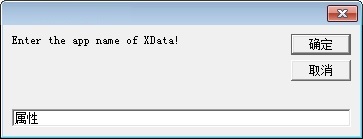
‘输入 App 名称 Dim sApp As String sApp = InputBox(“Enter the app name of XData!”, “”, sApp, Me.Left + 1800, Me.Top + 2400) ‘sApp 为空表示所有 App
‘屏幕选择图元 Dim PointPicked As Variant Dim oEntity As Object oDraw.Activate oDraw.Utility.GetEntity oEntity, PointPicked
‘读取扩展数据 Dim iType As Variant Dim sValue As Variant iType = DetachXData(oEntity, sApp, “Type”) sValue = DetachXData(oEntity, sApp, “Value”)
‘展示扩展数据 Dim I As Integer, J As Integer For I = LBound(iType) To UBound(iType) oSheet.Cells(1, GetColumnNumber(oSheet, iType(I), 1)) = iType(I) oSheet.Cells(TargetRow, GetColumnNumber(oSheet, iType(I), 1)) = sValue(I) Next I For J = MinColumn(oSheet) To MaxColumn(oSheet) oSheet.Columns(J).AutoFit ‘调整列宽 Next J
Public Function DetachXData(ByVal oEntity As Object, Optional ByVal sApp As String = “”, Optional ByVal sScope As String = “”) As Variant Dim I As Integer, J As Integer ‘ Return the xdata for the entity Dim XTypeOut As Variant Dim XValueOut As Variant oEntity.GetXData sApp, XTypeOut, XValueOut If Not IsArray(XTypeOut) Then Exit Function If Not IsArray(XValueOut) Then Exit Function Dim iArray() As Integer Dim sArray() As String Dim vTemp As Variant Dim iCount As Integer For I = LBound(XTypeOut) To UBound(XTypeOut) If Not IsInArray(XTypeOut(I), iArray) Then iCount = iCount + 1 ReDim Preserve iArray(0 To iCount – 1) ReDim Preserve sArray(0 To iCount – 1) iArray(iCount – 1) = XTypeOut(I) End If Next I ‘IsMissing 只对 Variant 变量有效 If IsMissing(sScope) Or sScope = “” Or InStr(1, sScope, “Type”, vbTextCompare) > 0 Then ‘DataType DetachXData = iArray Else ‘DataValue For I = LBound(iArray) To UBound(iArray) For J = LBound(XTypeOut) To UBound(XTypeOut) If XTypeOut(J) = iArray(I) Then If iArray(I) = 1010 Or iArray(I) = 1011 Or iArray(I) = 1012 Or iArray(I) = 1013 Then ‘三维 vTemp = XValueOut(J) sArray(I) = sArray(I) & “|” & vTemp(0) & “,” & vTemp(1) & “,” & vTemp(2) Else sArray(I) = sArray(I) & “|” & XValueOut(J) End If sArray(I) = CutTerminal(sArray(I), “|”) Else ‘Nothing End If Next J Next I DetachXData = sArray End If End Function